This guide covers how to customize your course setup by organizing modules for each week of your course. Start by customizing the course setup to fit the instructional plan. Modules can be rearranged across weeks to reflect what should be due each week and align with the course content.
It’s important to arrange modules according to when assignments should be due. Once the assignment schedule is set, the modules in each week will be due during that week.
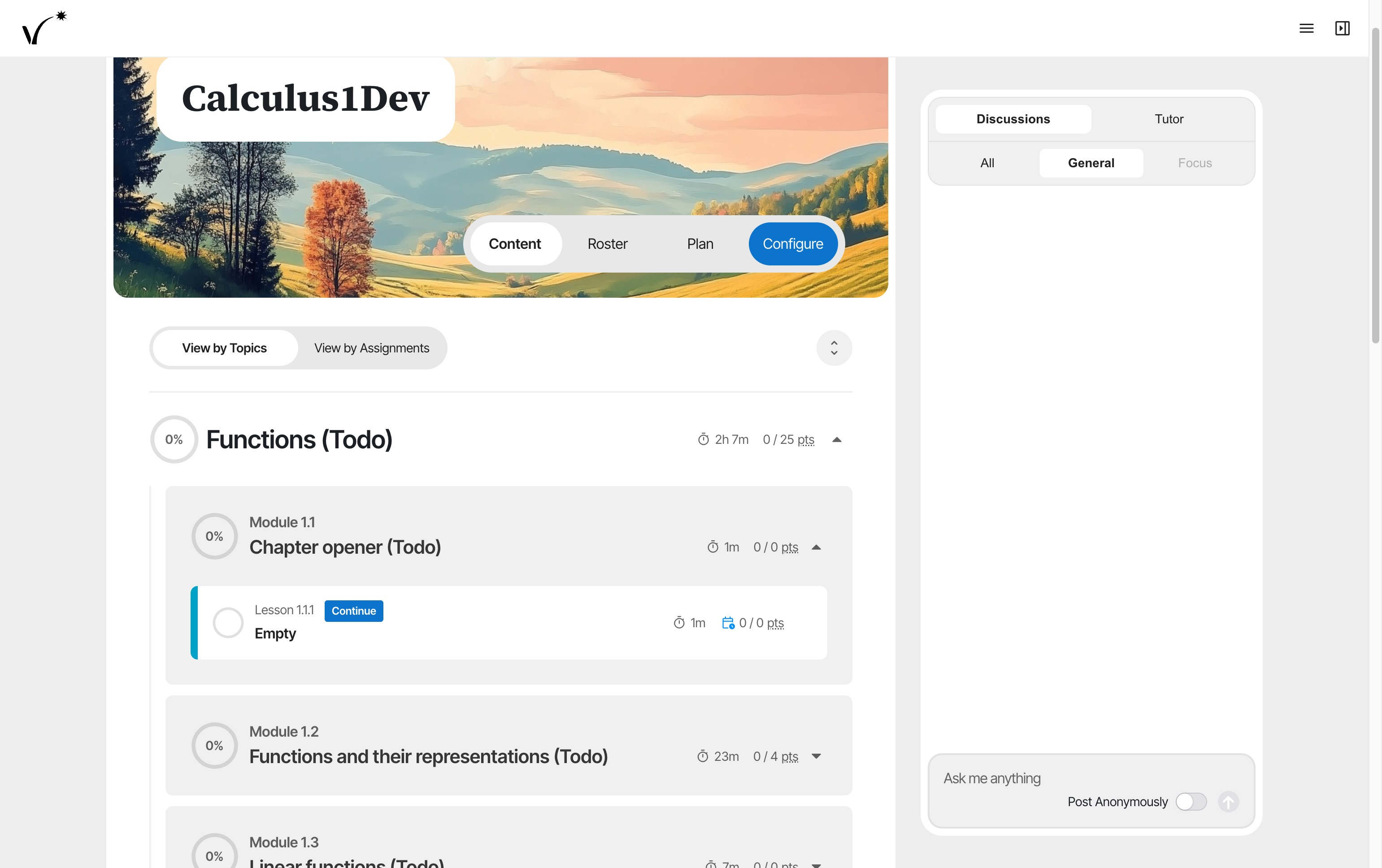
- Click Configure to access the course structure.
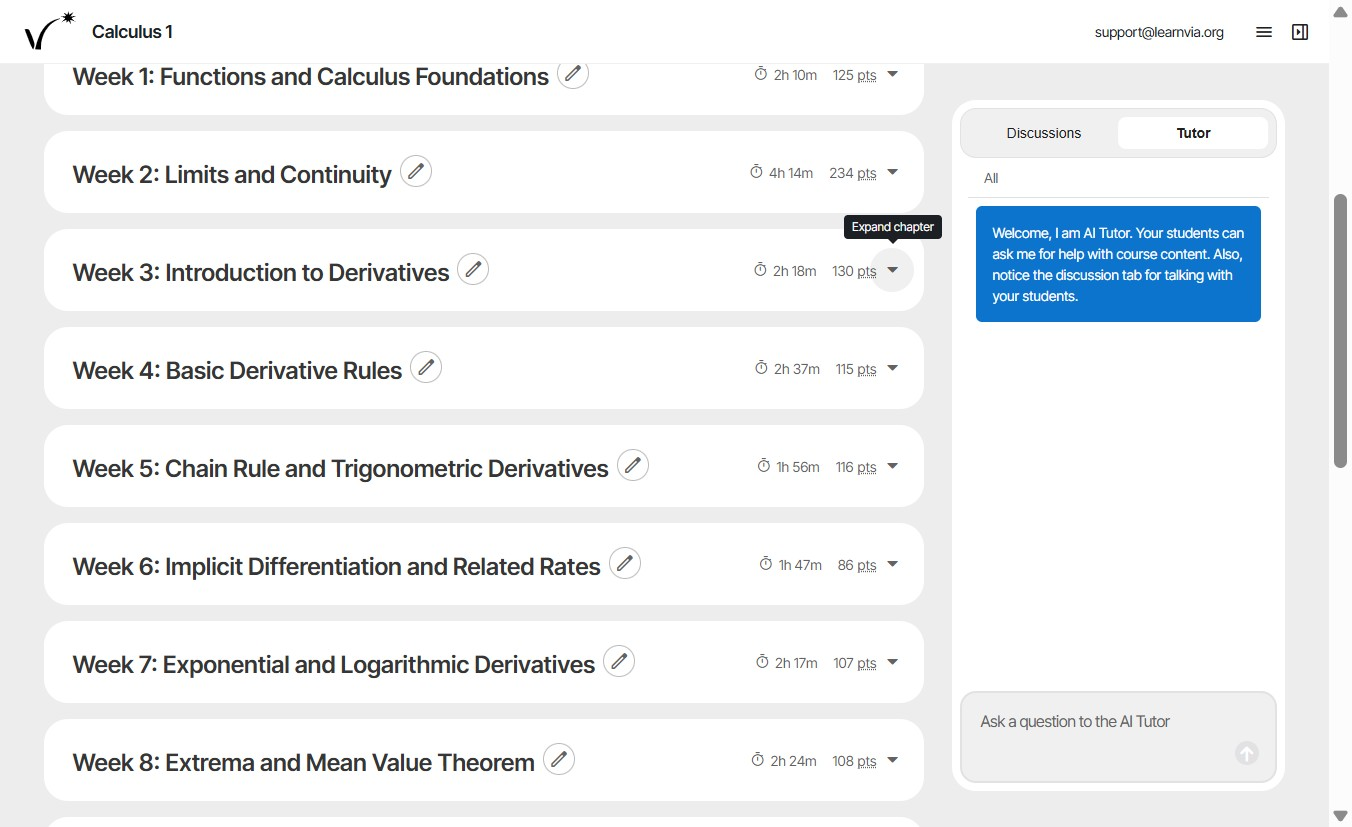
- Expand a week to reveal its associated modules.
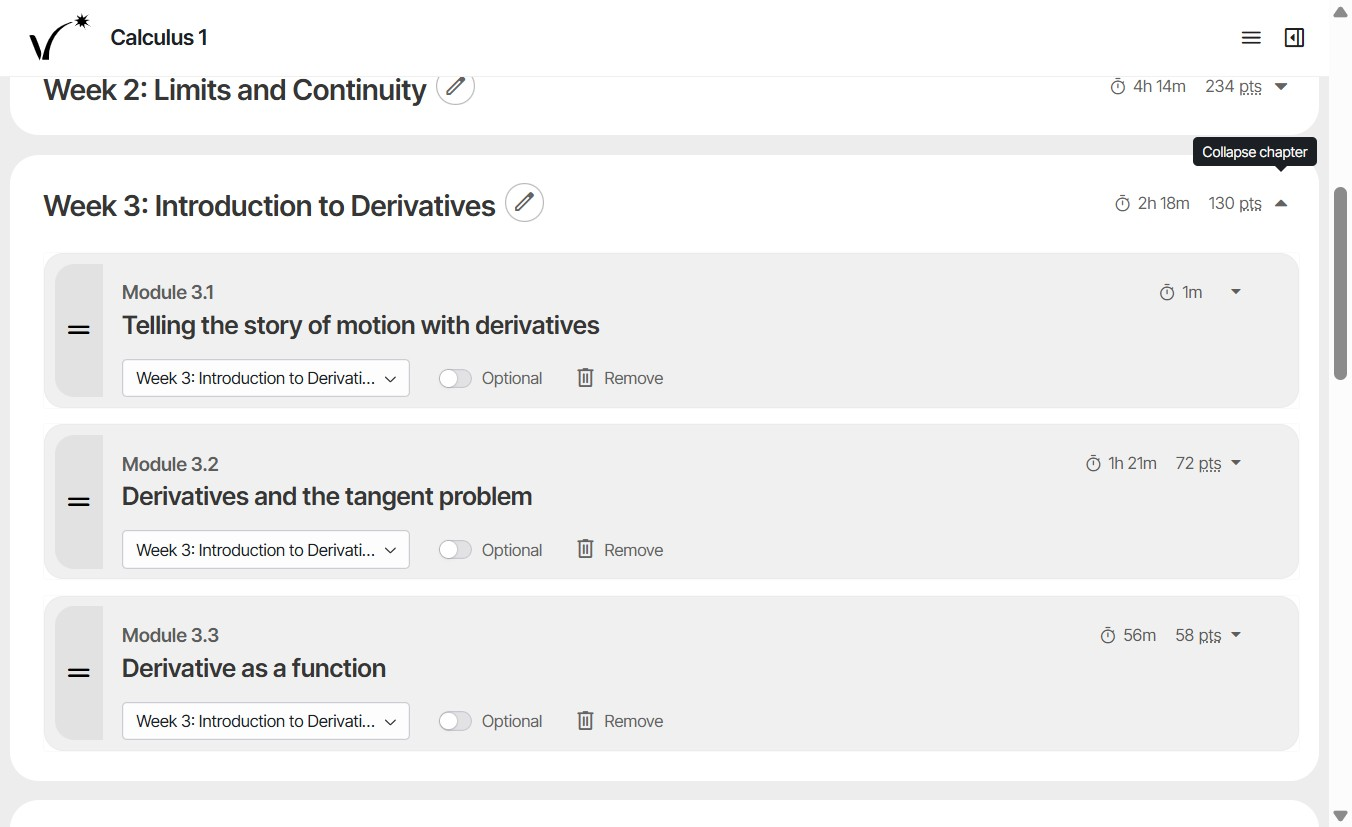
- Each week contains modules related to that week's topic.
- Drag to reorder modules within a week.
- To hide a module from students, click the Remove button next to it.
- Mark each module as Optional or Required based on course needs.
- Use the dropdown to move modules to different weeks.
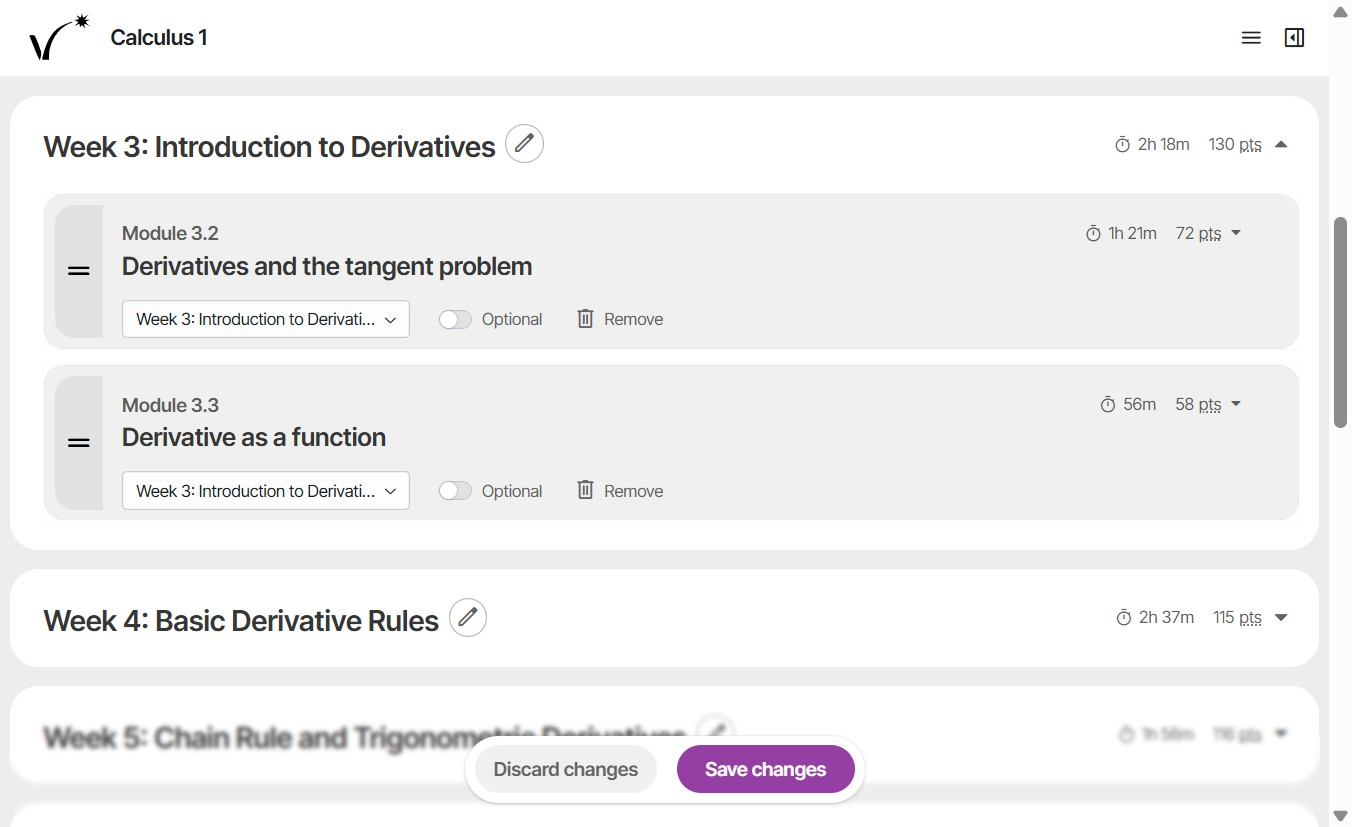
- Rename weeks to match course content if desired. Tip: The number of weeks is fixed, but if fewer weeks are needed, modules can be removed or moved, leaving those weeks empty. Consider renaming them “N/A” to avoid confusing students.
- Click Save Changes to apply updates.
Was this article helpful?
That’s Great!
Thank you for your feedback
Sorry! We couldn't be helpful
Thank you for your feedback
Feedback sent
We appreciate your effort and will try to fix the article